Everything in MerathilisUI
Every module can be turned on or off on its own in the MerathilisUI options - keep what you like, skip the rest.
 MerathilisUIFeatures
AddOnManager
The right addons for every character and instance
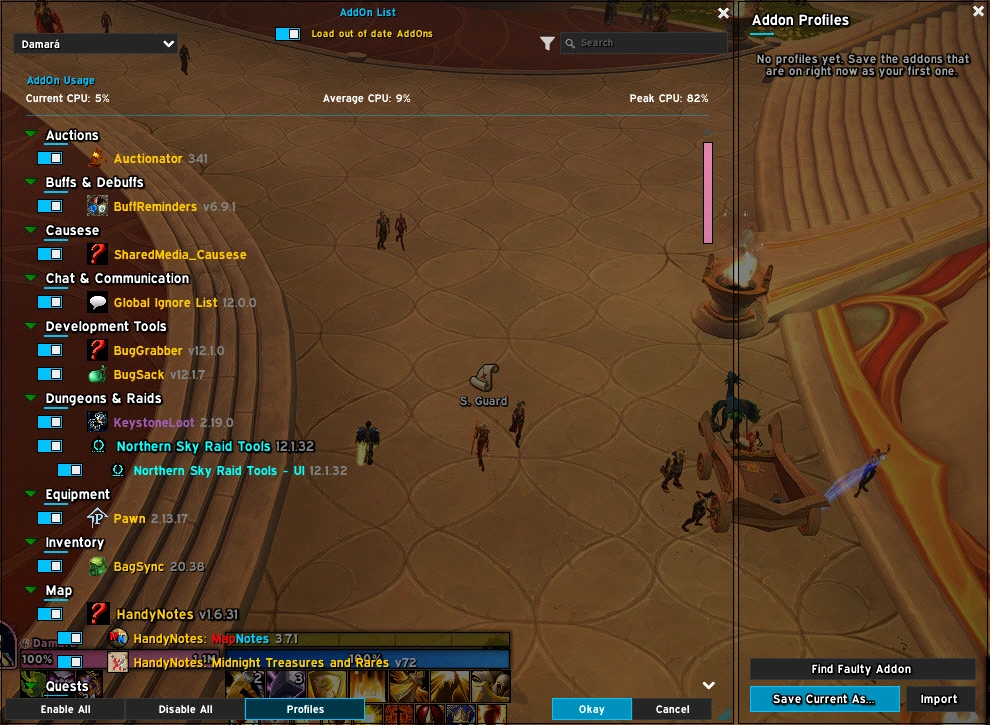
AddOn ManagerNew
Blizzard's addon list with profiles: save which addons are on, load them with one click or switch on their own per instance type, and share them as a code. Locked addons stay on whatever you do, turning an addon on also turns on what it needs, and a filter and wider search find any addon by folder, author or notes. Find Faulty Addon turns off half your addons per reload until the culprit is found.
MerathilisUIFeaturesLoadoutManager
The right gear and talents for every key and raid
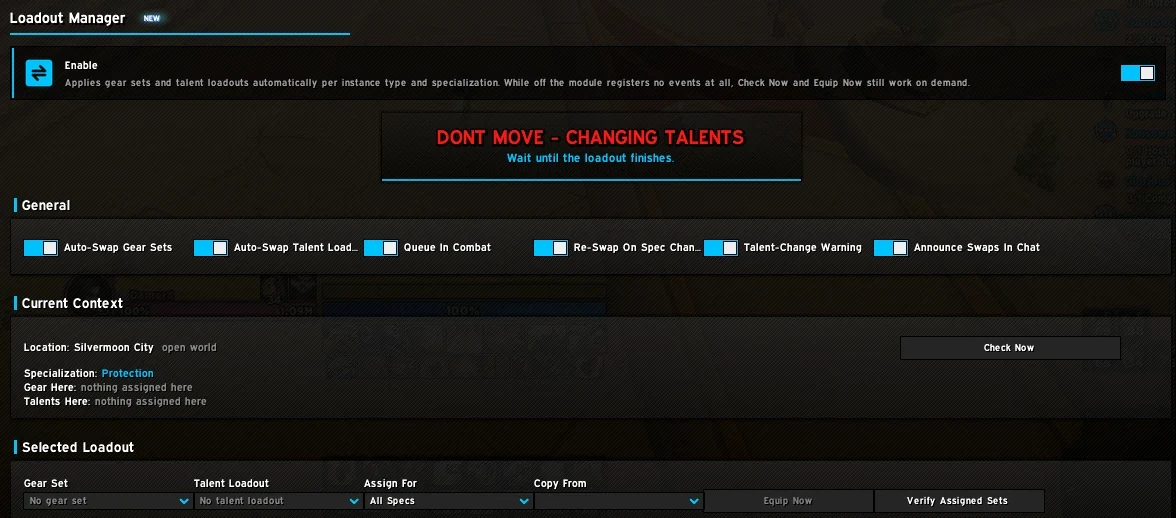
Loadout ManagerNew
Equips your Equipment Manager gear set and loads your saved talent loadout on its own when you enter content. Assign them per instance, per difficulty or per content type (Dungeon, Mythic+, Raid, Timewalking, Delve, Arena, Battleground, Open World), for all specs or a single spec. Swaps due in combat wait until it ends, and a warning tells you not to move while talents change.
MerathilisUIFeaturesUnitPortraits
Your target, face to face
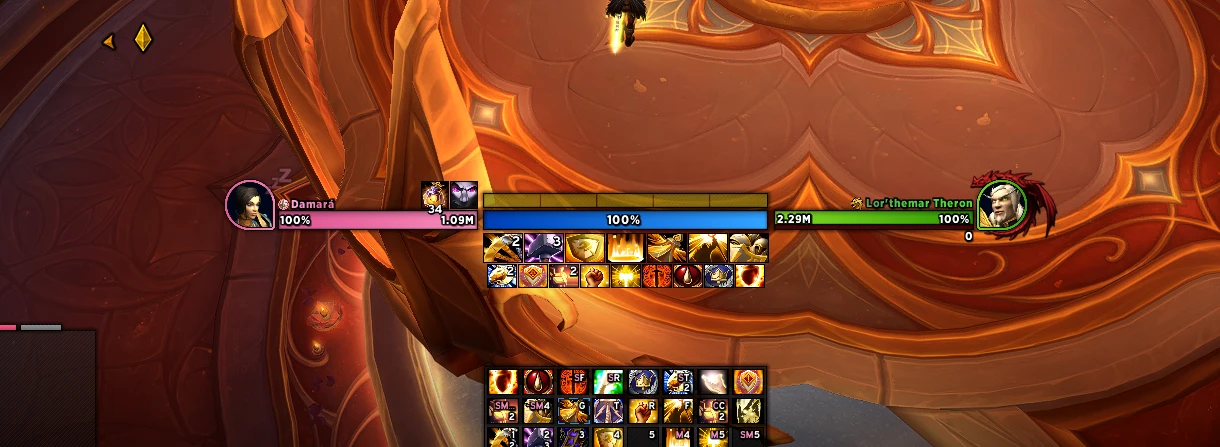
PortraitsNew
A portrait next to your unit frames, cut to a drop, circle or square and framed by a ring in the class or reaction color, or in the gradient colors of the Gradient theme. While the unit casts, the spell icon takes its place. Boss, elite and rare NPCs get the dragon of the Blizzard target frame, a badge or a ring in their classification color. Player and target are on by default, focus, pet, party, boss and arena can be added.
MerathilisUIFeaturesQuickGrid
Your actions, one key away
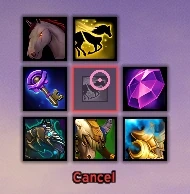
Quick Grid
Hold a key and a 3x3 grid of actions opens at your cursor, release it in a direction to use one, in combat too. Comes with decks for teleports, travel, raid markers (hold Shift for world markers) and professions, plus a deck you fill yourself.
MerathilisUIFeaturesRoundedCorners
Softer edges for your unit frames

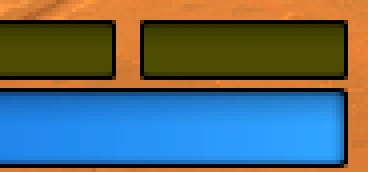
Rounded Corners
Rounded corners and a rounded border for the health, power, class and cast bars of your ElvUI unit frames: player, target, focus, pets, party, raid, boss and arena. An attached power bar rounds together with the health bar as one block, and threat colors carry over to the border. Off by default, one switch in the UnitFrames options or the Rounded Corners preset.
MerathilisUIFeaturesHoverCast
Click-casting without an extra addon
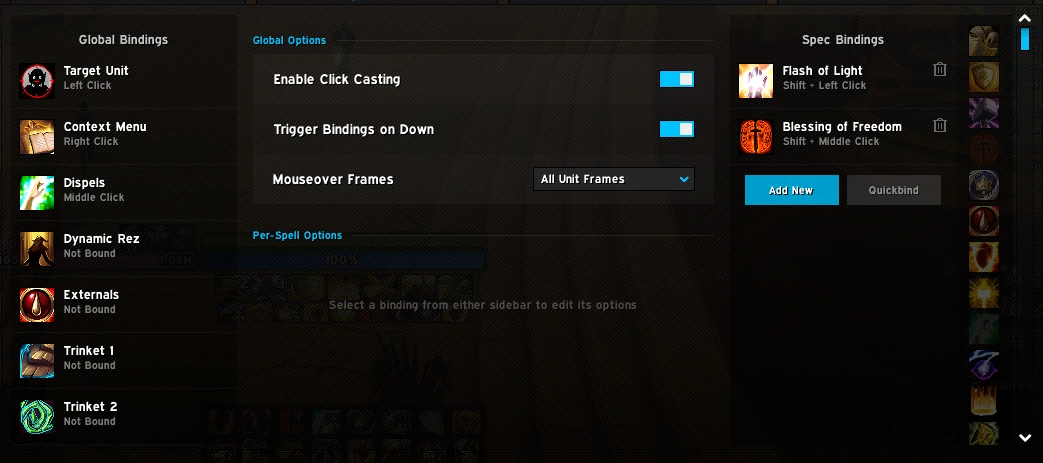
HoverCast
Click-casting on the ElvUI unit frames as a replacement for Clique: global and per-spec bindings for spells, macros and items, ready-made bindings for dispels, externals, trinkets and a dynamic resurrect, Quickbind and optional mouseover casting on nameplates and units in the world.
MerathilisUIFeaturesUIPresets
A complete setup from a single code
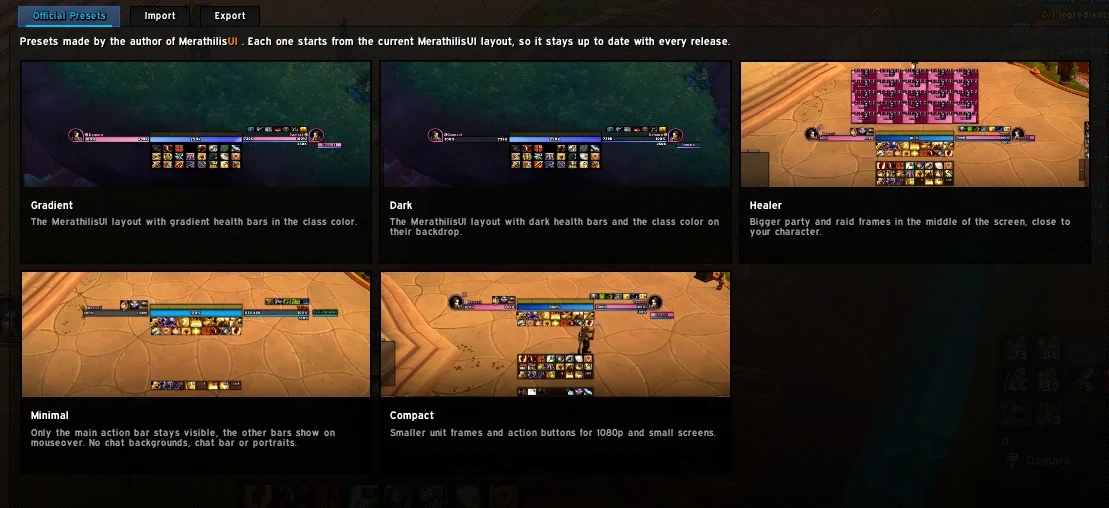
Presets
Complete UI setups you apply with a single code: official Gradient, Dark, Healer, Minimal, Compact and Rounded Corners presets in game, plus community presets on this site. Your own setup becomes a code with one click, ready to share.
Browse presetsMerathilisUIFeaturesCategorizedBags
Categories, pinned items and merged stacks
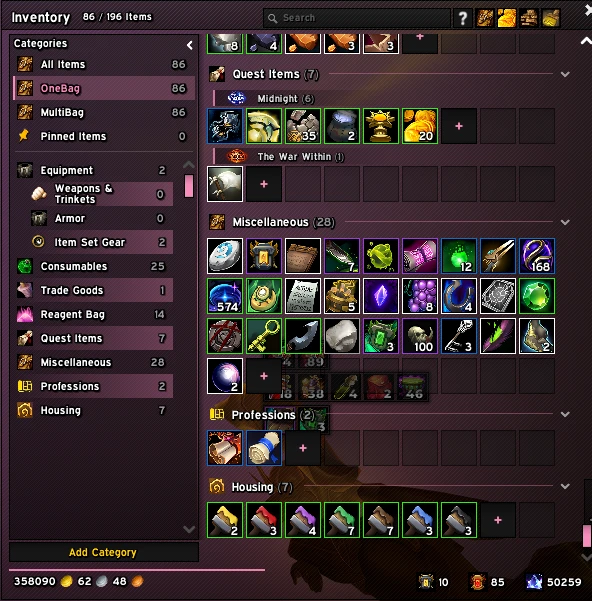
Categorized Bags
A category sidebar with pinned and recent items, custom categories and sub-headers per expansion and equipment set. Identical stacks merge into one slot and the windows shrink to fit.
MerathilisUIFeaturesTooltipBuffs
See what a player has active at a glance
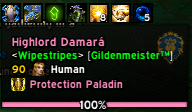
Tooltip Buffs
The buffs of the player under your mouse as icons right on the tooltip, also in combat, Mythic+ and raids. Position, icon size, icons per row and offsets are up to you, and the icons stay clear of the tooltip health bar.
MerathilisUIFeaturesUnlockMode
Snap, nudge and anchor your movers
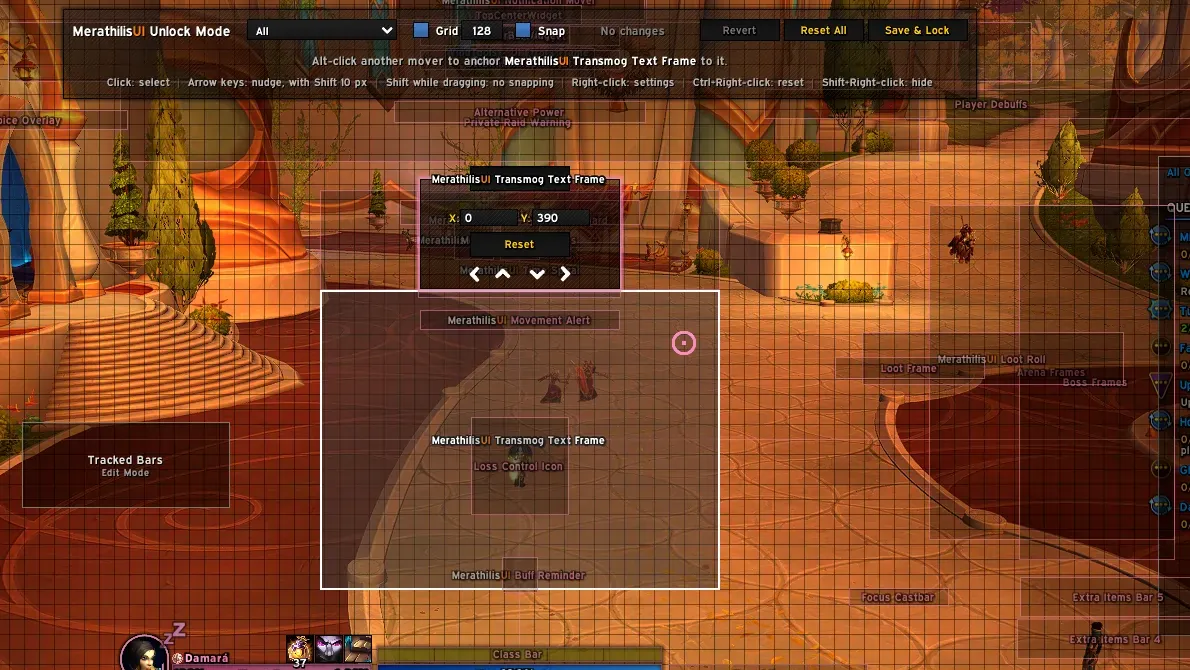
Unlock Mode
ElvUI's mover mode, extended: movers snap to each other and to the screen with guide lines, a click selects one for pixel-exact arrow key nudging, Alt-click anchors it to another mover so it follows along, and a toolbar shows your changes so you can revert them before you lock. Parts still placed by Blizzard's Edit Mode are marked and open it with a click.
MerathilisUIFeaturesTheArmory
Item level, enchants and sockets at a glance
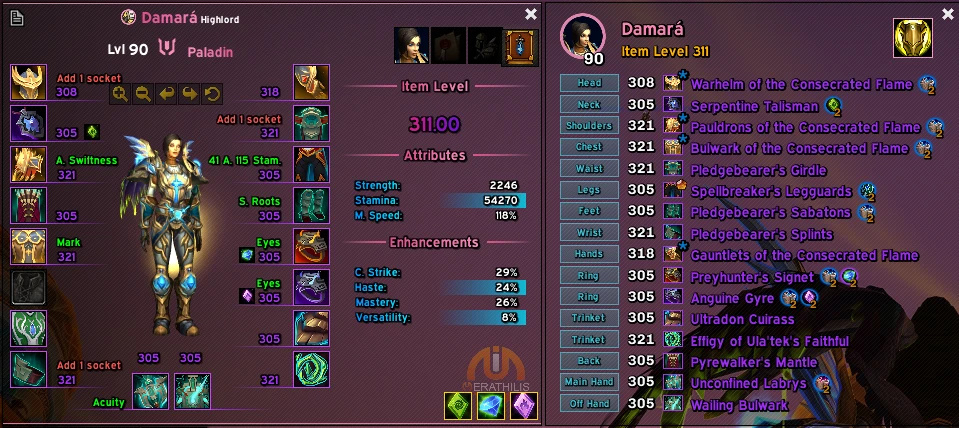
Armory
Redesigned character and inspect frame with class backgrounds, item level, enchants and sockets per slot, plus a built-in equipment set manager.
Screenshot shows the Armory together with the ElvUI_WindTools additions.
MerathilisUIFeaturesGameMenu
Where it all started: the first MerathilisUI feature
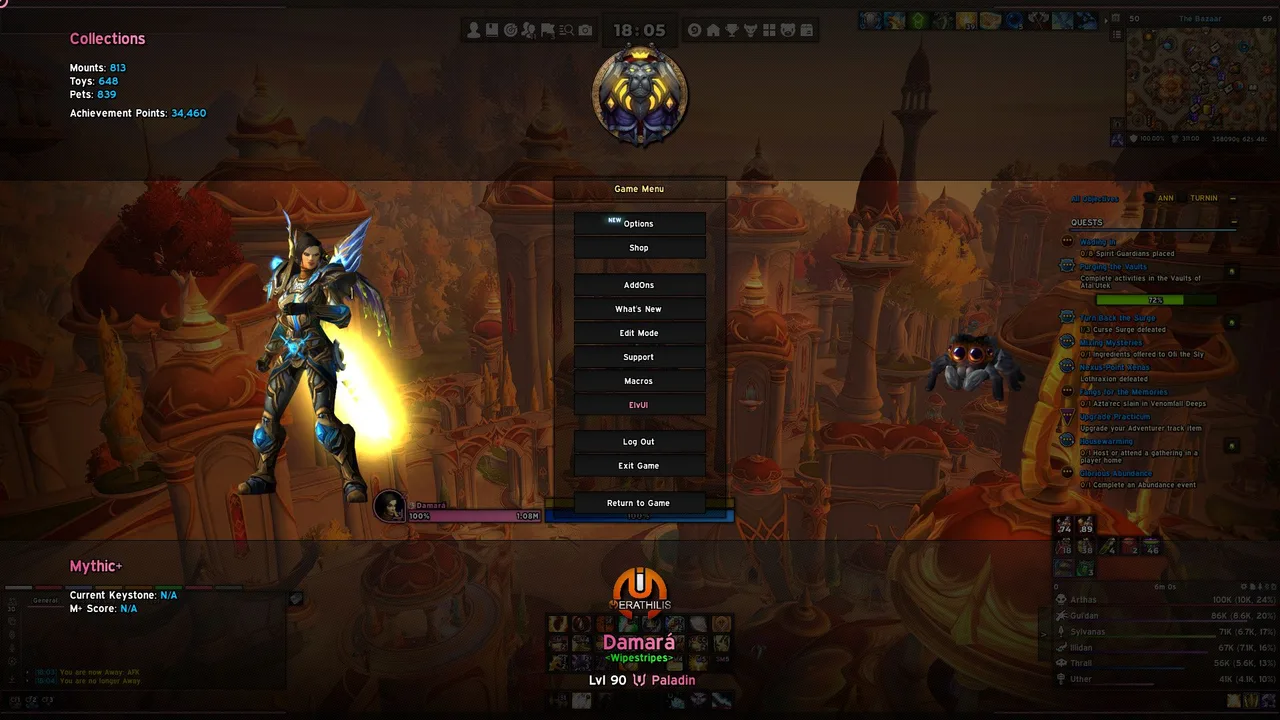
Quality of Life
Mail tools, profession tabs, transmog export, Wowhead links, a styled game menu, AFK screen and a cursor ring with GCD and cast progress.
Screenshot shows the styled game menu - the very first MerathilisUI feature.
MerathilisUIFeaturesChat &Minimap
Chat Sidebar, Location Panel and button bar
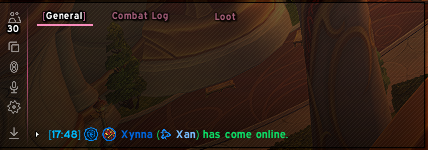
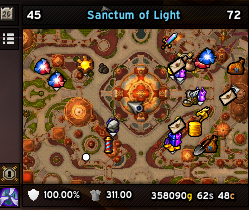
Chat & Minimap
Chat Sidebar with friends, guild, durability and M+ portals, a Location Panel above the minimap and a bar for all addon buttons.
MerathilisUIFeaturesSmartAlerts
Rares, mail, Great Vault, durability and more
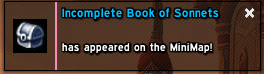
Notifications
Rare mobs, new mail, Great Vault rewards, Call to Arms, low durability, full bags, guild events and currency caps.
Chat BubblesNew
ElvUI's chat bubbles get the MerathilisUI style and a shadow on a border that stays pixel perfect at any UI scale. The speaker's name can show as a class color gradient at any position, also on party, raid, instance chat and emote bubbles. Inside instances, where bubbles can't be styled, they can be turned off.
Combat & Group Content
NameHover with Enemy Forces in Mythic+, Buff Reminder, Movement Alert, Battle Res tracker, Loot Spec Manager and Spec Bar.
Unit Frames & Theme
Gradient, Dark and class-colored health, power and castbars with extra styling for player, target, party, raid and boss frames.
Profiles included
The installer can set up profiles for these addons in the MerathilisUI style:
- BigWigs
- Details!
- ls: Toasts
- Capping
- TomTom
- Permoks Account Manager
- Skiron Cooldown Manager
- WindTools
- mMediaTag
- Blizzard Edit Mode layout
Addon skins
These addons get the same shadows, gradients and flat widgets as the rest of your UI:
- BigWigs
- Details!
- BugSack
- BagSync
- Capping
- ls: Toasts
- Pawn
- WIM
- WowLua
- Paragon Reputation
- KeystoneLoot
- and more